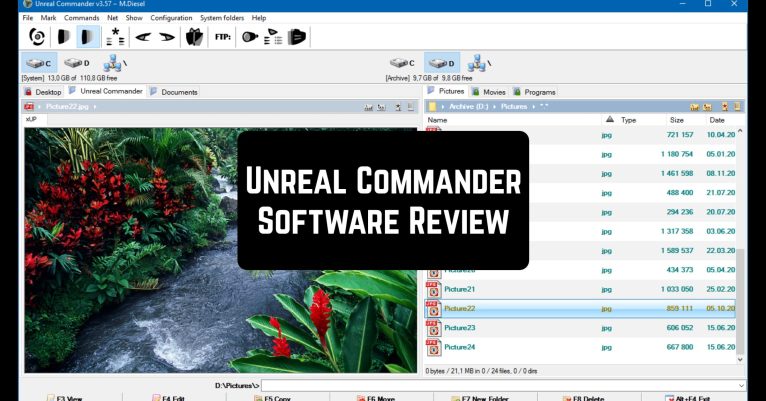
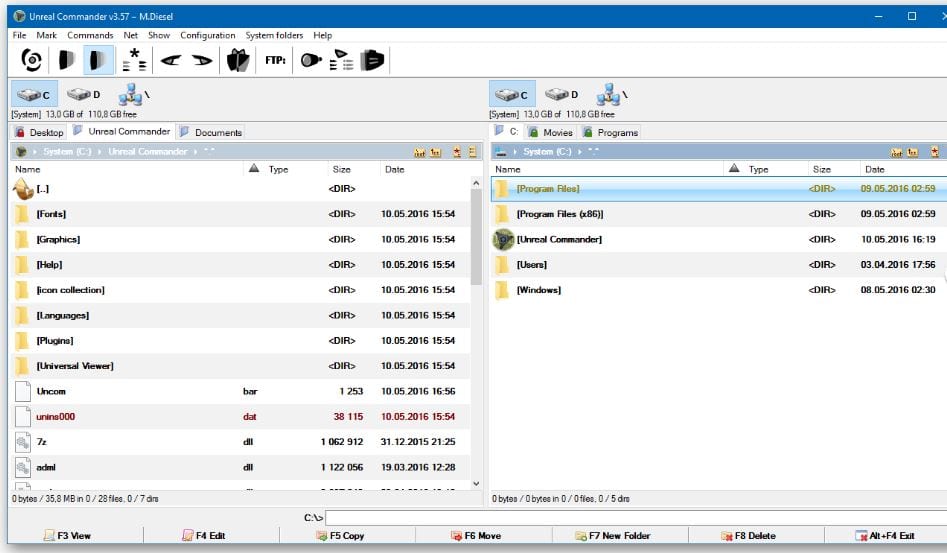
 The program is able to delete files safely (WIPE) and performs archiving through a module with 7z support. Supports Unicode, including while archiving. As for the types of supported archives, these are not only the most common ZIP and RAR, but also a dozen other formats. It has the ability to synchronize directories, as well as a built-in viewer and quick view function. Increase the permissions if necessary.
 Choose the action you want the commander to perform after completing the tasks that you have assigned it. Do you want it to turn off your computer, go into sleep mode, or hibernate? No problem, the Unreal Commander can handle it.
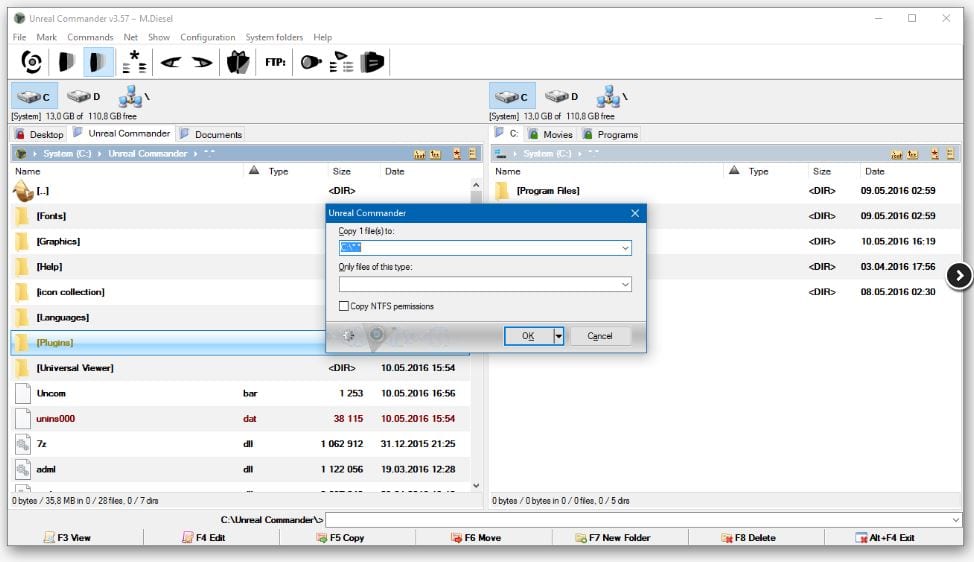
It can copy, move and delete files in the background and supports directory tabs. When copying and moving, you can enable the “save symbol links” mode. You can also make a running queue of tasks “closed” or move tasks from an existing queue to a new one.
For alternative devices, you can check out this article about the best apps for Hisense TV.
Something is missing? Oh, yes, – the Drag and Drop support when working with other applications, network operating, and advanced file search! And let’s not forget the built-in mini backup utility.
Choose the action you want the commander to perform after completing the tasks that you have assigned it. Do you want it to turn off your computer, go into sleep mode, or hibernate? No problem, the Unreal Commander can handle it.
It can copy, move and delete files in the background and supports directory tabs. When copying and moving, you can enable the “save symbol links” mode. You can also make a running queue of tasks “closed” or move tasks from an existing queue to a new one.
For alternative devices, you can check out this article about the best apps for Hisense TV.
Something is missing? Oh, yes, – the Drag and Drop support when working with other applications, network operating, and advanced file search! And let’s not forget the built-in mini backup utility.
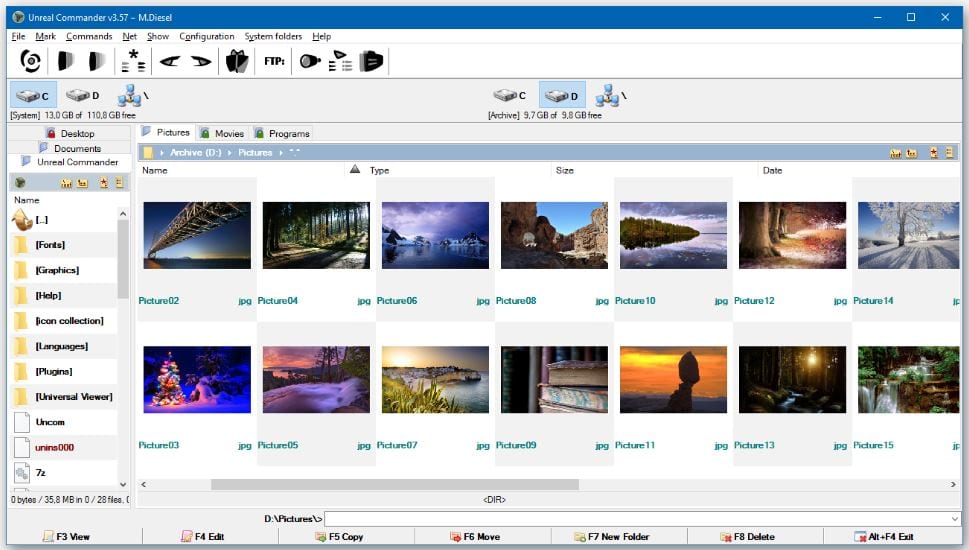 We’re not done yet. The design of the program’s appearance deserves special attention. Commander has a two-panel interface, supports various skins, and can use background images. You can use different colors for different categories of files, as well as choose the fonts you like for all interface elements, thanks to the appearance styles customization.
And if you like to play with the appearance you can check out these apps for creating a full-body avatar.
Do you want to make sure for yourself that the Unreal Commander does what the competitors will not ever do? Then make your move!
We’re not done yet. The design of the program’s appearance deserves special attention. Commander has a two-panel interface, supports various skins, and can use background images. You can use different colors for different categories of files, as well as choose the fonts you like for all interface elements, thanks to the appearance styles customization.
And if you like to play with the appearance you can check out these apps for creating a full-body avatar.
Do you want to make sure for yourself that the Unreal Commander does what the competitors will not ever do? Then make your move!
List of reviewed apps:
Key Features
- Dual-pane file manager layout for efficient file navigation and management
- Secure file deletion (WIPE function) and comprehensive archive support including 7z, ZIP, RAR, and 12+ other formats
- Directory synchronization and built-in file viewer with quick preview capabilities
- Customizable post-task actions including shutdown, sleep mode, and hibernation scheduling
- Background file operations with directory tab support for multitasking workflows
Pros and Cons
- Pro: Two-pane interface makes file management faster than Windows’ native explorer
- Pro: Extensive archive format support handles virtually any compressed file you’ll encounter
- Pro: Advanced features like secure deletion and directory sync rival expensive premium alternatives
- Con: Learning curve for users accustomed to simpler, more basic file managers
- Con: Interface design feels slightly dated compared to modern file manager aesthetics
Bottom Line
If you spend considerable time managing, organizing, or transferring files on Windows, Unreal Commander is absolutely worth downloading. It’s packed with pro-level features that justify ditching the standard file explorer, making it ideal for power users and anyone tired of Windows’ limitations.