 The hallmark that comes first when we talk about this program is it’s invincible to any unlocking programs – so it keeps your documents from being cracked or encrypted – all the algorithms are up to date so you can stay assured that no 3rd parties are going to access your PDF files.
Plus, you can read our article about the best fake conversation apps – take a break with your co-workers and have fun together pranking each other!
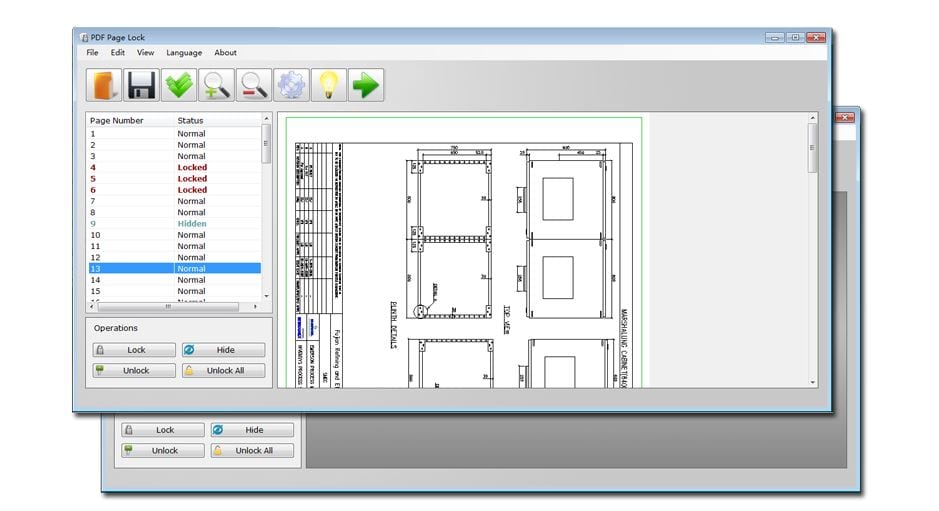
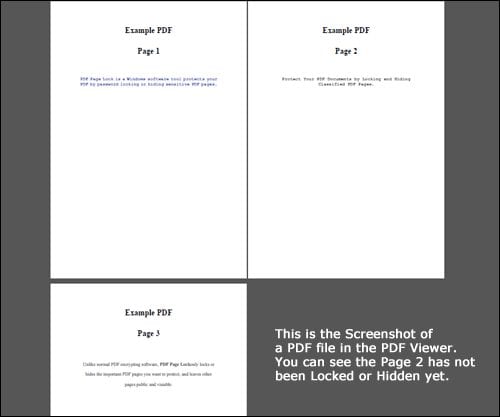
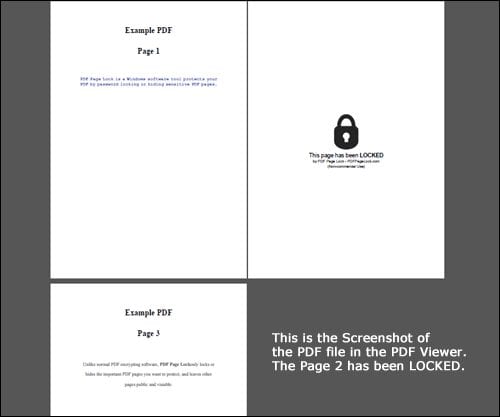
Each time any person with no access tries to get to the hidden file they only see the blank page with the locked icon. What is more, the software includes a super-convenient feature of the hand-picked encryption of pages. It means that you have a chance not to hide the whole document, so all the people can read it, and only hide certain pages, which removes the necessity to cut them out of the document.
The hallmark that comes first when we talk about this program is it’s invincible to any unlocking programs – so it keeps your documents from being cracked or encrypted – all the algorithms are up to date so you can stay assured that no 3rd parties are going to access your PDF files.
Plus, you can read our article about the best fake conversation apps – take a break with your co-workers and have fun together pranking each other!
Each time any person with no access tries to get to the hidden file they only see the blank page with the locked icon. What is more, the software includes a super-convenient feature of the hand-picked encryption of pages. It means that you have a chance not to hide the whole document, so all the people can read it, and only hide certain pages, which removes the necessity to cut them out of the document.
 When locking the file, just create the password – and there you go. Your documents will be encrypted with the strongest AES-256 algorithm and the password itself will be encrypted twice. Plus, as it’s been mentioned before, the software is extremely easy to use – all you need is to install it on your PC and upload the files to it which you want to hide.
 Before you convert photos into PDF files you can edit them – check out our best cut and paste apps to achieve the best effect.
There are two versions of PDF Page Lock – the free version and the pro one. You can always acquire the full one with the whole set of features at a very attractive price. Well – if you’re somebody who works with the documents often – this is really a profitable investment to make and even the free version is a great deal.
Before you convert photos into PDF files you can edit them – check out our best cut and paste apps to achieve the best effect.
There are two versions of PDF Page Lock – the free version and the pro one. You can always acquire the full one with the whole set of features at a very attractive price. Well – if you’re somebody who works with the documents often – this is really a profitable investment to make and even the free version is a great deal.
List of reviewed apps:
Key Features
- Password-protect individual PDF pages or entire documents with military-grade encryption
- Selective page locking — choose which pages stay hidden and which remain accessible
- Display blank pages with lock icons for unauthorized access attempts
- Resistant to cracking software with regularly updated security algorithms
- Simple, user-friendly interface that doesn’t require technical expertise
Pros and Cons
- Pros:
- Granular control over which pages are locked, not just whole documents
- Strong encryption that stands up to modern unlocking attempts
- Intuitive design means you’ll figure it out without reading a manual
- Cons:
- Limited to PDF files only — won’t help secure other document formats
- Once you forget the password, recovery options may be limited or non-existent
Bottom Line
If you regularly handle sensitive PDF documents and need quick, reliable protection without enterprise-level complexity, PDF Page Lock Software is worth a download. It’s perfect for freelancers, small business owners, and anyone who wants to keep prying eyes away from confidential pages without breaking a sweat.